

Giriş Sayfaları
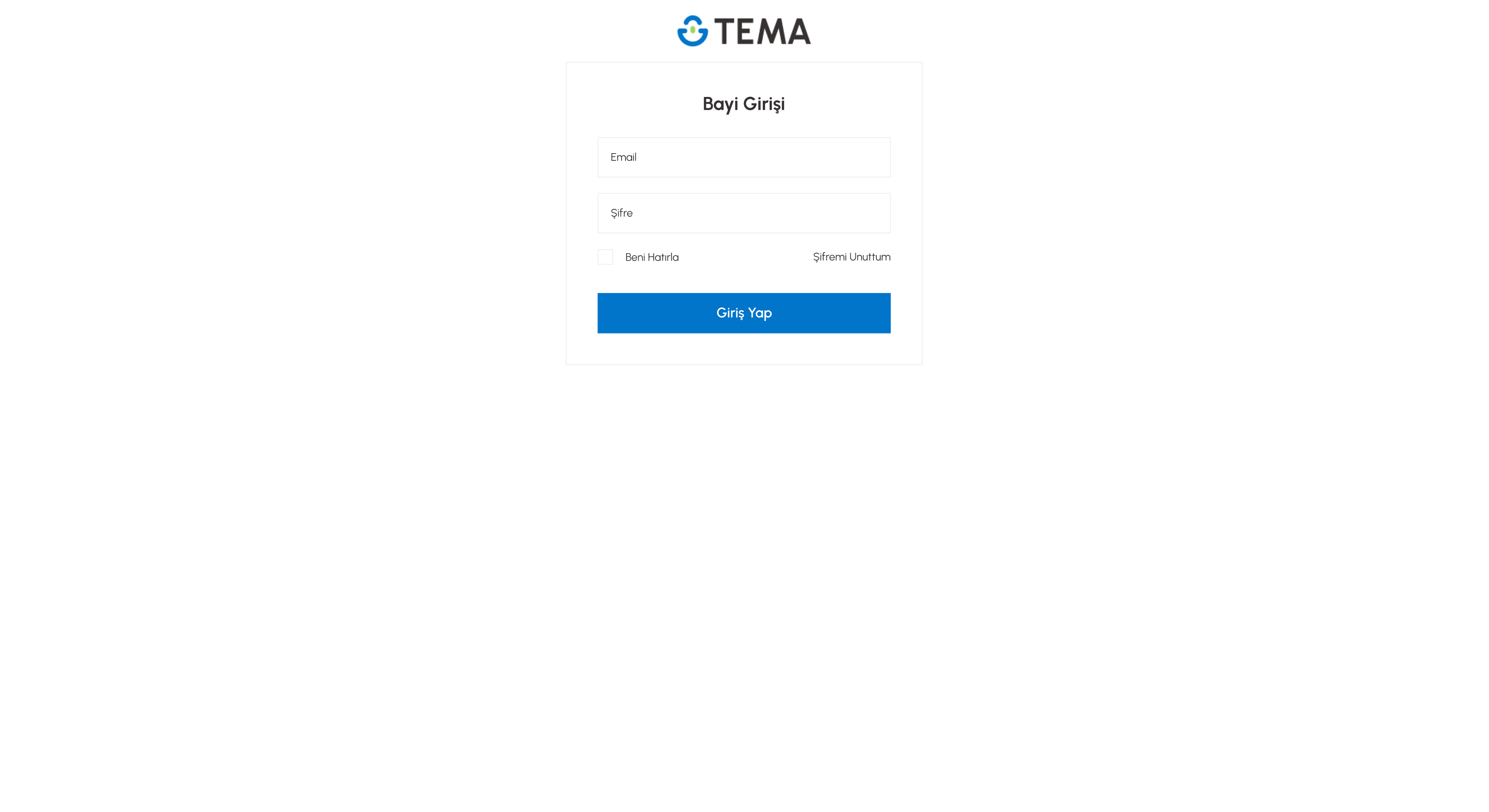
Bayi Girişi
Bayi giriş sayfanızı özelleştirmek için kullanacağınız komponent yapısı
Görünüm
Kod Yapısı
Html, Scss ve Json kodlarını kopyalayıp siteniz üzerinde ilgili alana eklediğinizde çalışmasını sağlayabilirsiniz. Kodların kullanımı ile ilgili bilgileri okuyarak nasıl eklemeniz gerektiğini öğrenebilirsiniz.
Test sitemizde Bayi Girişi komponenti kullanılmıştır. Örneği demo sitede görüntüleyin.
Bayi giriş dosyasına tema tarafında theme / html / templates / member / b2b-login.twig yolundan ulaşabilirsiniz. Bu dosya tema framework'ünde bulunmaktadır. Değiştirmek istediğiniz alanları bu dosya içerisine yazmanız gerekmektedir.
HTML
index.html{% extends 'html/layouts/member.twig' %}
{% block content %}
    <div class="user-login-page-wrapper">
        <div class="user-login-page-container mb-5">
            <div class="user-login-page-logo">
                <a href="{{ path('entry') }}" aria-label="Logo">
                    {% if theme.settings.login_logo %}
                        <img src="{{ themeAsset(theme.settings.login_logo) }}" alt="">
                    {% else %}
                        <img src="{{ themeAsset(theme.settings.logo) }}" alt="">
                    {% endif %}
                </a>
            </div>
            <div class="user-login-page-content">
                <div class="user-login-page-title">
                    <span>{{ getLang("_SellerLogin_") }}</span>
                </div>
                <form action="{{ path('member_login') }}" name="login-form" method="POST" data-selector="b2b-login-form">
                    <input type="hidden" name="fail" value="{{ path('member_b2b_login') }}">
                    <div class="user-login-page-row">
                        <input class="form-control" type="text" name="email" id="user-login-email" placeholder="{{ getLang('_Email_') }}" value="{{ cookie_member_email }}" autocomplete="email">
                    </div>
                    <div class="user-login-page-row">
                        <input class="form-control" type="password" name="pass" id="user-login-pass" placeholder="{{ getLang('_Password_') }}" autocomplete="current-password">
                    </div>
                    <div class="user-login-page-row mb-0 d-flex align-items-center justify-content-between">
                        <div class="checkbox-custom">
                            <input type="checkbox" name="remember" id="remember-me" value="1" {{ (cookie_member_email ? 'checked': '') }}>
                            <label for="remember-me">{{ getLang("_RememberMe_") }}</label>
                        </div>
                        <div class="user-login-forgot-pass">
                            <a href="{{ path('member_forgotpass') }}">{{ getLang("_ForgotPass_") }}</a>
                        </div>
                    </div>
                    <div class="user-login-page-row mb-0">
                        <button type="submit" class="btn btn-primary btn-block" data-selector="b2b-login-form-button">{{ theme.settings.user_login_page_buton_title }}</button>
                    </div>
                </form>
            </div>
        </div>
    </div>
{% endblock %}
SCSS
style.css/* User Login Page */
.user-login-page-wrapper {
    position: relative;
    display: flex;
    justify-content: center;
    .user-login-page-container {
        position: relative;
        z-index: 2;
        width: 460px;
        @include max($sm) {
            width: 380px;
        }
        @include max($xxs) {
            width: 330px;
        }
        @include max($xxxs) {
            width: 280px;
        }
        .user-login-page-logo {
            display: flex;
            align-items: center;
            justify-content: center;
            min-height: 80px;
            padding: var(--spacer-5);
            img {
                max-height: 80px;
            }
        }
    }
    .user-login-page-content {
        padding: var(--spacer-10);
        background-color: #fff;
        border: 1px solid $color-border;
        border-radius: $border-radius;
    }
    .user-login-page-title {
        text-align: center;
        margin-bottom: var(--spacer-7);
        span {
            line-height: 28px;
            font-size: var(--font-size-24);
            font-weight: 700;
        }
        &.user-login-page-sub-title {
            padding-top: var(--spacer-15);
        }
    }
    .user-login-page-order-registration {
        display: flex;
        align-items: center;
        justify-content: center;
        height: 52px;
        color: $color-text;
        font-size: var(--font-size-16);
        font-weight: 600;
        text-align: center;
        margin-top: var(--spacer-9);
        background-color: rgba(220, 53, 69, 0.3);
    }
    .user-login-page-row {
        margin-bottom: var(--spacer-5);
        &.user-login-page-button-social {
            display: flex;
            align-items: center;
            flex-wrap: wrap;
            @include max($sm) {
                display: block;
            }
            > div {
                flex: 0 0 50%;
                &:first-child {
                    padding-right: var(--spacer-5);
                }
                @include max($sm) {
                    flex: 0 0 100%;
                    &:first-child {
                        padding-right: 0;
                    }
                }
            }
        }
        input.form-control {
            height: 52px;
            color: $color-text;
            font-size: var(--font-size-14);
            padding: var(--spacer-2) var(--spacer-4);
        }
        .btn {
            @include center;
            height: 52px;
            color: $color-white;
            font-size: var(--font-size-18);
            font-weight: 600;
            padding: 0;
            @include max($xxxs) {
                height: 48px;
            }
            &.btn-white {
                color: $color-text;
                font-weight: 400;
                margin-top: var(--spacer-9);
                border: 1px solid $color-border;
                background-color: #fff;
            }
            &.btn-google {
                color: $color-text !important;
                font-size: var(--font-size-15);
                font-weight: 400;
                background: #fff !important;
                border: 1px solid $color-border;
                span {
                    padding-left: 10px;
                }
                &:hover {
                    color: $color-text !important;
                    background: #fff !important;
                }
                @include max($sm) {
                    margin-bottom: var(--spacer-5);
                }
            }
            &.btn-facebook {
                color: $color-text !important;
                font-size: var(--font-size-15);
                font-weight: 400;
                background: #fff !important;
                border: 1px solid $color-border;
                span {
                    padding-left: 10px;
                }
                &:hover {
                    color: $color-text !important;
                    background: #fff !important;
                }
            }
        }
    }
    .checkbox-custom,
    .user-login-forgot-pass {
        margin-bottom: var(--spacer-9);
    }
    .checkbox-custom {
        input[type=checkbox] {
            & + label {
                line-height: 20px;
                color: $color-text;
                font-size: var(--font-size-14);
                padding-left: 36px;
                &:before {
                    width: 20px;
                    height: 20px;
                    border: 1px solid $color-border;
                }
            }
            &:checked {
                & + label {
                    &:before {
                        background-image: none;
                        border-color: $color-border;
                        background-color: $color-white;
                    }
                    &:after {
                        content: '';
                        position: absolute;
                        left: 7px;
                        top: 2px;
                        display: inline-block;
                        width: 6px;
                        height: 12px;
                        border-bottom: 2px solid $color-primary;
                        border-right: 2px solid $color-primary;
                        transform: rotate(45deg);
                    }
                }
            }
        }
    }
    .user-login-forgot-pass {
        a {
            display: block;
            color: $color-text;
            font-size: var(--font-size-14);
        }
    }
}
JSON
index.js"login_logo": { "type": "image", "default_value": "images/login_logo.png", "filename": "login_logo", "label": "Üye Girişi vb Sayfaların Logosu", "info": "Üye ol, giriş yap, bayi giriş, zorunlu üyelik, şifremi unuttum, arıza / iade başvurusu, iletişim formu sayflarında gösterilecek logoyu buradan değiştirebilirsiniz" }, "user_login_page_buton_title": { "type": "text", "default_value": "Giriş Yap", "label": "Login Sayfası Birincil Buton Metni" },
Son güncelleme: